qlikcentral

Understand / Create / Inform

Main Menu

Skip to content
  • About Me
  • Code Examples
  • Qlik Brain Teasers
  • QV Blogs I Like
  • Interview Questions and Hints

Category Archives: Design and Layout

Grid Chart

Grid Chart Sense KPI Extension

November 24, 2022by Richard Pearce Leave a comment

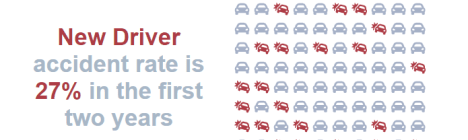
Proud to announce I’m publishing my first Qlik Sense extension. Is it a grid chart or a waffle chart? https://github.com/RichardPearce60/sense-svg-grid-chart This isn’t my first extension, over the past few years […]

Read Article →
D3, Design and Layout, Extensions, JavaScript
Qlik Sense Design

Why Bother With Qlik Extensions

May 11, 2022by Richard Pearce Leave a comment

What’s the point? I mean when you think about it Qlik Sense the product has everything you need. Loads more charts, you can even make the paths on Line Charts […]

Read Article →
D3, Design and Layout, Extensions, mashup

Stop storing your Qlik Sense Expressions in Variables!

May 22, 2019by Richard Pearce 15 Comments

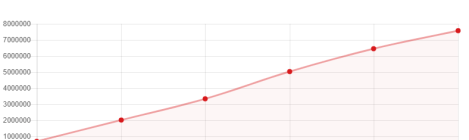
Are you gasping right now after reading the title? Shaking your head in disagreement? Well, let me explain…..   At Qonnections this year I gave a talk on various do’s […]
Read Article →
Best Practice, Design and Layout
ChartJS Feature Image

My First Qlik Sense Chart.js Extension

November 28, 2018by Richard Pearce Leave a comment

Taking your first steps into Qlik Sense extension development can be daunting. With limited training materials dedicated to that task the learning curve is not only steep, its also a […]

Read Article →
Create, Design and Layout, Extensions, Scripting
qlikshow-image

Using Set Analysis to Show the Hidden Answers in Qlik

December 7, 2016by Richard Pearce 6 Comments

Firstly I’ve got to say the inspiration for this blog post came from a post by QlikShow – Grey? So What?. Here Patrick Tehubijuluw showed a great visualisation technique which […]

Read Article →
Design and Layout

Add Custom Stripes to a QlikView Straight Table

October 25, 2016by Richard Pearce 2 Comments

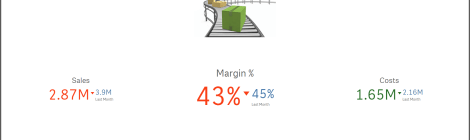
QlikView straight tables have an option in the Style Properties that adds a stripe every x rows. Very useful when you’re showing lots of detailed record information so the user […]
Read Article →
Design and Layout
Qlik Sense Landing Page

A Great Qlik Sense Design

July 4, 2016by Richard Pearce 2 Comments

Last week at the Qlik Sense roadshow in Manchester I brought to an end a couple of months of Qlik seminars and conferences here, in London and around the world. So […]

Read Article →
Design and Layout
QlikSense Scatter Plot Chart

Scatter Plots are good

February 1, 2016by Richard Pearce 3 Comments

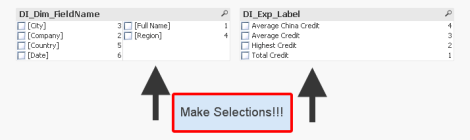
I was helping a customer recently when I was shown a Pie Chart they had developed in QlikSense showing product returns, they liked the chart although they asked how they […]
Read Article →
Best Practice, Design and Layout, Inform
User Controlled Charts QlikView

User Controlled Charts in QlikView

December 9, 2015by Richard Pearce 5 Comments

Hello, Recently I’ve been blogging about where to store variables and why (I think) a data island is the best way forward. The original idea for a data island comes […]

Read Article →
As Of Calendar, Best Practice, Create, Design and Layout

Pop Ups To Be Proud Of

May 26, 2015by Richard Pearce 2 Comments

Hello, Here’s a simple little QlikView trick which will make your Pop Ups really Pop Out and contain so much more information. The example shows what you get by default […]

Read Article →
Design and Layout

Post navigation

1 2 3 Next →

Categories

  • APIs (1)
  • Best Practice (32)
  • Create (22)
  • Data Load (12)
  • Design and Layout (23)
  • Extensions (5)
    • D3 (4)
      • JavaScript (2)
  • Flat Design (8)
  • Inform (16)
  • Just for Fun (2)
  • mashup (2)
  • News / Updates (26)
  • Projects (3)
    • As Of Calendar (3)
  • Qlik CLI (3)
  • QMC (2)
  • Scripting (34)
  • Understand (18)
    • Certification (2)
  • Video Tutorial (23)
    • Creating an Incremental Load Script (7)

Top Posts & Pages

  • Stop storing your Qlik Sense Expressions in Variables!
  • Do points really make the difference?
  • Current Selections within QlikView Flat Design
  • Qlik Developers Group
  • Joins, Concatenation and the Applymap function
  • Where to store your expressions in QlikView?
  • Create a new QlikView Design Layout - 2
  • The Optimal QlikView Data Structure
  • Using Set Analysis to Show the Hidden Answers in Qlik
  • Storing Expressions Into a Data Island

aggr Analyse analysts application Best Practice calendar Certification Change Control Chart Colour Dashboard data debug debugging design Designer Developer documentation expression Extensions FirstSortedValue Flat Design Henric Cronström Joining Data layout Loading Data London Looping Q2018Talk Qlik QlikDevGroup Qlik Sense QlikSense QlikView QlikView Engine QVD requirements script Selections Storing Structure Testing variables Version Control youtube

Richard Pearce

Richard Pearce

Qlik Expert | Qlik Luminary 2017, 2018, 2019, and 2020 | Qlik Speaker

About the Author: Richard Pearce

Richard has been working within Business Intelligence for over 20 years. He has managed teams of analysts in a number of large organisations across finance, healthcare, service, and retail. He has worked extensively with QlikView and Qlik Sense. He is a Director of the QlikDevGroup, a meetup captain, a Qlik Luminary and speaks at many Qlik events around the world

  • About Me
  • Code Examples
  • Qlik Brain Teasers
  • QV Blogs I Like
  • Interview Questions and Hints

©2019 – Richard Pearce
Please contact me if you’re concerned about any accidental infringement for immediate removal.

Blog at WordPress.com.
  • Subscribe Subscribed
    • qlikcentral
    • Join 255 other subscribers
    • Already have a WordPress.com account? Log in now.
    • qlikcentral
    • Subscribe Subscribed
    • Sign up
    • Log in
    • Report this content
    • View site in Reader
    • Manage subscriptions
    • Collapse this bar
 

Loading Comments...
 

    Privacy & Cookies: This site uses cookies. By continuing to use this website, you agree to their use.
    To find out more, including how to control cookies, see here: Our Cookie Policy