
Version control has always been a slightly awkward subject in Qlik Sense.
Although now, we can export application metadata, put it into Git and build a history of what changed between versions. That’s useful — and it’s an important part of any proper development process and done automatically for you using DevFulfilled.
But Git only answers part of the question.
When you’re reviewing a Qlik Sense release, knowing that a script, master measure or other application object changed is only the beginning. You also need to understand what changed, why it changed, who requested it, and whether the change has been reviewed and approved.
That’s where version control starts becoming change control.
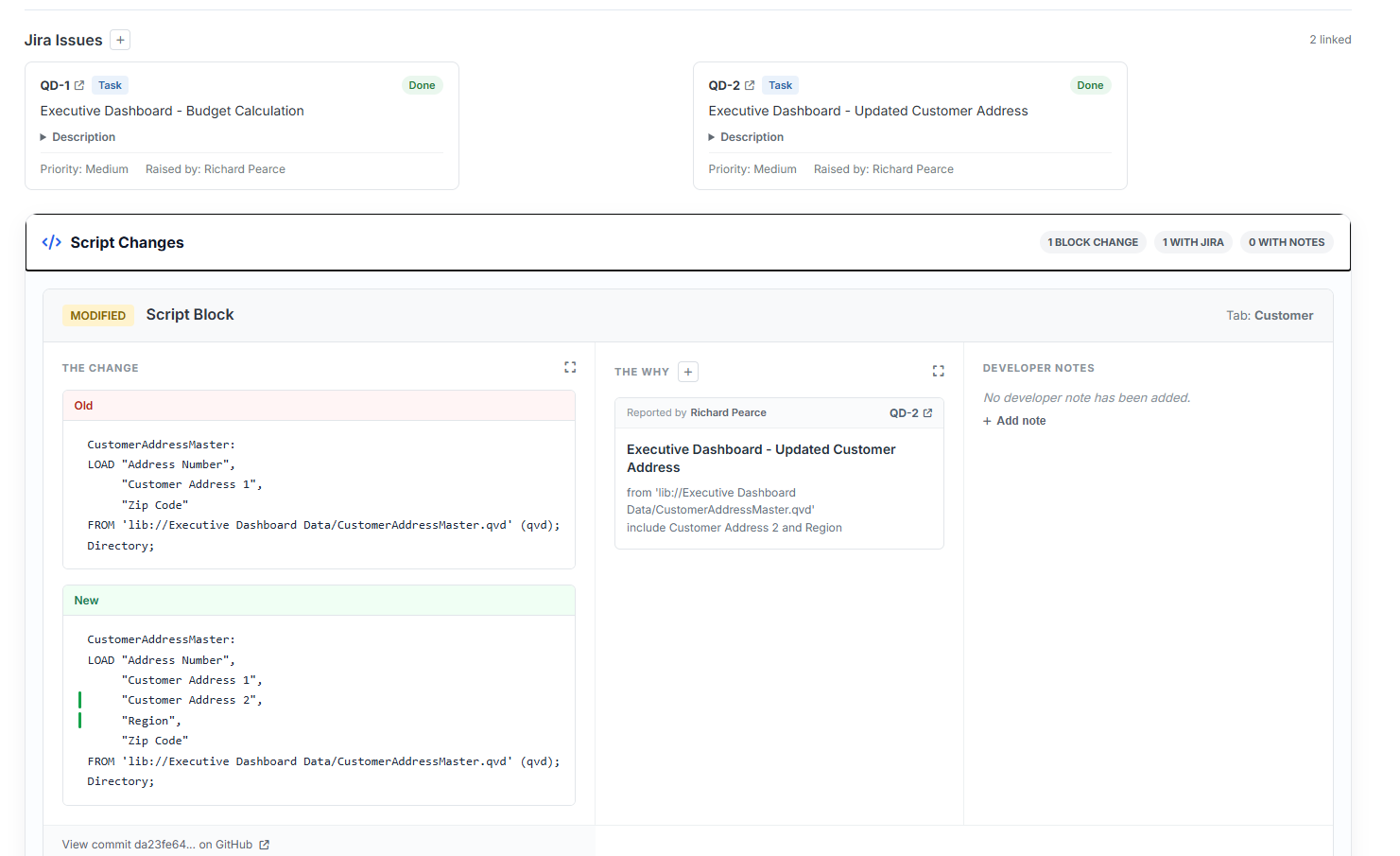
Connect the Change to Jira
Knowing what changed naturally leads to another question:
Why did we change it?
In most organisations, the answer already exists somewhere — often in Jira.
Rather than leaving the Jira ticket at release level, DevFulfilled allows individual Jira tickets to be linked directly to individual Qlik changes.
So instead of:
Release 1.4 → 8 Jira tickets → 17 changes
we can start saying:
This particular script change → JIRA-123 → requested because of X
That creates a much clearer audit trail and makes reviewing a release considerably easier.
From Version Control to Change Control
Git is still an important part of the solution. I certainly wouldn’t suggest replacing it.
But for Qlik Sense, I think there’s an opportunity to build something much more useful on top of it.
Instead of version history being a collection of files and commits, we can create a readable history of the application:
What changed → Why it changed → Who reviewed it → Who approved it → When it was deployed
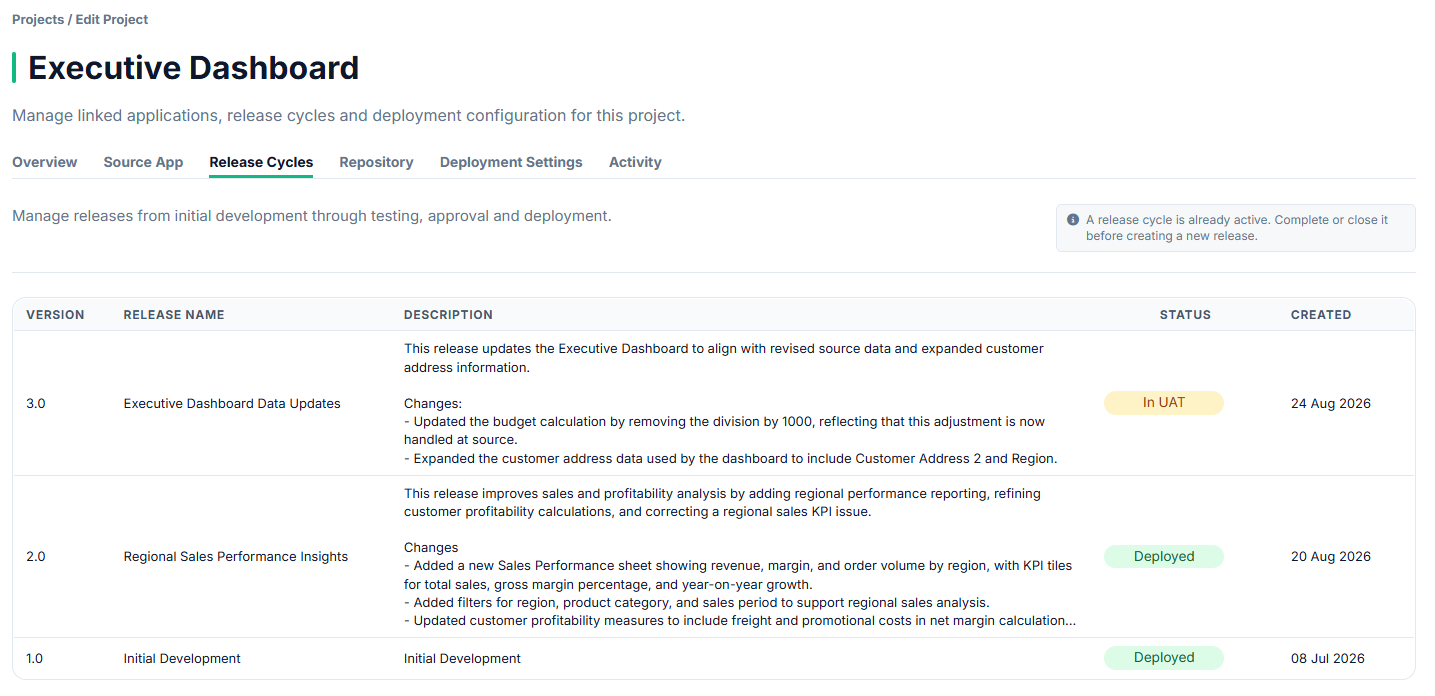
That’s the direction I’ve been taking with DevFulfilled, and the latest version brings together Git-based Qlik change tracking, Jira integration, developer notes and release approvals.
I’ve put together a short video showing how it works in practice:
If you’re involved in managing Qlik Sense releases, I’d be interested to hear how you’re currently handling this — particularly how (or whether!) you’re connecting Git history back to Jira tickets and approvals.

